Video projects demand more than fast storage. Editors also need dependable ways to clone source drives, protect working footage, and move large media libraries between systems.
These 10 hard drive duplicators, docks, and high-capacity external drives cover practical workflows ranging from standalone disk-to-disk cloning to multi-drive editing archives.
Best 10 Hard Drive Duplicators for Video Editing Picks for 2026
Best Overall
StarTech Dual-Bay SATA Duplicator

- Standalone sector-by-sector cloning
- Supports 2.5/3.5-inch SATA HDDs and SSDs
- USB 3.0 and eSATA connectivity
Best For: Versatile SATA cloning and drive access
Fastest Cloning
StarTech 28GB/min Dual-Bay Duplicator

- Offline cloning up to 28 GB/min
- USB 3.2 Gen 2 and SATA III support
- Toolless dual-bay design with TRIM
Best For: Frequent, speed-focused SATA drive cloning
Best for Storage
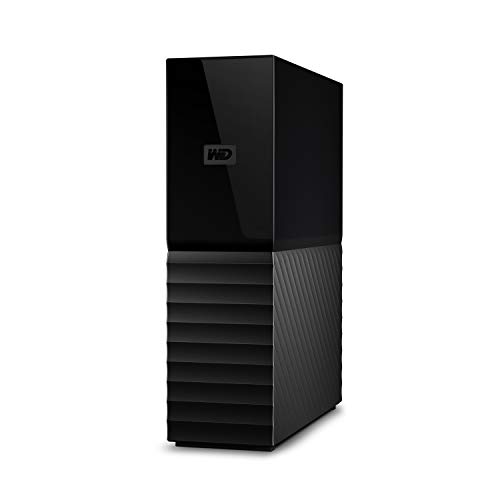
- 6TB external desktop storage
- USB 3.0 with USB 2.0 compatibility
- Password protection and AES encryption
Best For: Large project storage and backups
Best Budget Dock

- Offline SATA drive cloning
- Supports 2.5/3.5-inch drives up to 10TB
- USB 3.0 plug-and-play docking
Best For: Simple occasional cloning and drive access
Best Standalone Duplicator

- Standalone copying with no computer required
- Supports 2.5-inch and 3.5-inch SATA drives
- Includes drive duplication and DoD-compliant erasure
Best For: Simple SATA drive duplication and sanitization
Best Multi-Drive Dock

- Duplicates one drive to four targets offline
- Holds up to five 2.5-inch or 3.5-inch SATA drives
- USB 3.2 Gen 1 with USB-C and USB-A cables
Best For: Managing and duplicating multiple SATA media drives
Best Rugged Storage Drive
SanDisk Professional G-DRIVE ArmorATD 5TB
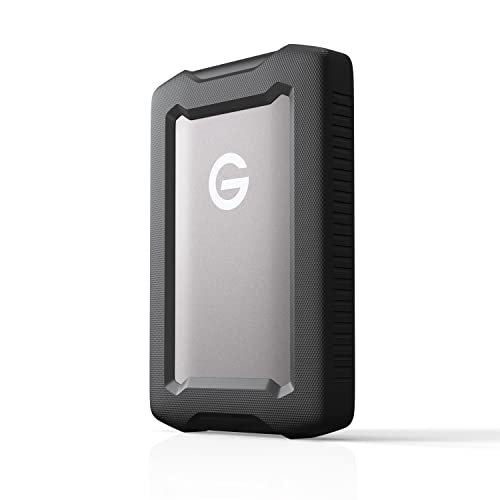
- Portable 5TB capacity for media backups
- USB-C connectivity with up to 135MB/s listed transfer rate
- Rugged aluminum enclosure with protective bumper
Best For: Portable backup and transfer storage for video projects
Best Multi-Drive Cloner

- Five SATA bays with up to 120TB expansion
- Offline cloning without a computer
- USB 3.1 and up to 5Gbps transfer rate
Best For: Editors managing several SATA project and backup drives
Best Dedicated Editing Storage
SanDisk Professional 8TB G-Drive
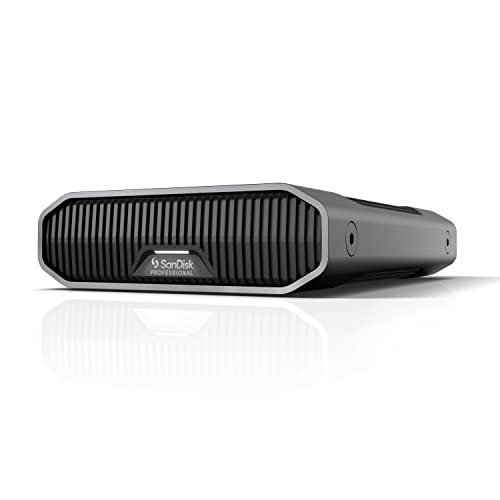
- 8TB enterprise-class 7200RPM HDD
- USB-C 10Gbps with up to 260MB/s speeds
- Mac Ready and Time Machine compatible
Best For: Desktop media storage and backup
Best Compact Dual-Bay Cloner

- Dual-bay SATA cloning for up to 48TB
- Offline cloning with LED progress indicators
- Three additional USB 3.0 hub ports
Best For: Solo editors needing simple drive duplication
Best Overall – StarTech Dual-Bay SATA Duplicator
For editors who need dependable hard drive duplicators for video editing, the StarTech SDOCK2U33RE combines standalone cloning with convenient computer-connected drive access. Its dual bays accept both 2.5-inch and 3.5-inch SATA HDDs and SSDs, while sector-by-sector duplication works with any file format.
Best For: Video editors and IT users who need a versatile SATA cloning dock with USB and eSATA connectivity.
Pros:
- Clones drives without a computer and supports sector-by-sector copying.
- Works with 2.5-inch and 3.5-inch SATA HDDs and SSDs of any capacity.
- Supports USB 3.0 or eSATA host connections and 4Kn drives.
- Includes USB-A and eSATA cables plus a universal power adapter.
Cons:
- The target drive must be equal to or larger than the source.
- IDE drives require a separately sold adapter.
- USB transfer speed is limited to 5 Gbps.
This is a practical all-around choice when you want one dock for drive cloning, recovery, and routine SATA drive access. Its broad compatibility and included connectivity options make it particularly useful in a video-editing workstation.
Fastest Cloning – StarTech 28GB/min Dual-Bay Duplicator
The StarTech SDOCK2U313R is a strong pick among hard drive duplicators for video editing when cloning speed is a priority. It duplicates SATA drives offline at up to 28 GB per minute and also functions as a USB-connected dock for accessing drives.
Best For: Editors and production teams that regularly clone SATA media drives and want faster standalone duplication.
Pros:
- Rated for standalone duplication speeds up to 28 GB/min.
- Supports 2.5-inch and 3.5-inch SATA HDDs and SSDs of any capacity.
- Includes SATA III, USB 3.2 Gen 2, 4Kn, and TRIM support.
- Toolless, trayless design includes drive doors and eject buttons.
Cons:
- The destination drive must be equal to or larger than the source.
- IDE drives need a separate adapter.
- It is designed for SATA drives rather than other drive interfaces.
With its higher stated cloning rate and 10 Gbps host connection, this model is the performance-oriented option in the group. It is best suited to workflows where frequent drive duplication saves meaningful setup time.
Best for Storage – WD My Book 6TB Desktop Drive
The WD My Book is not a standalone duplicator, but it can complement hard drive duplicators for video editing as a spacious destination or backup drive. This desktop external HDD provides 6TB of capacity, USB 3.0 connectivity, password protection, and 256-bit AES hardware encryption.
Best For: Editors who need a large, secured external drive for project storage, backups, or cloned media.
Pros:
- Provides 6TB of desktop external storage.
- Uses SuperSpeed USB 3.0 and remains compatible with USB 2.0.
- Includes password protection and 256-bit AES hardware encryption.
- Backup and device-management software is available for download.
Cons:
- It is an external storage drive, not a standalone two-bay duplicator.
- It uses a desktop form factor and requires an AC adapter.
- Backup software requires download and installation.
Choose the My Book when capacity and data protection matter more than direct offline cloning. Paired with a compatible duplicator, it can serve as a practical repository for editing projects and backup copies.
Best Budget Dock – SABRENT Dual-Bay HDD Cloner
The SABRENT EC-HD2B offers a straightforward entry point for hard drive duplicators for video editing. It supports standard 2.5-inch and 3.5-inch SATA HDDs and SSDs, provides offline cloning, and doubles as a USB 3.0 docking station for connected drives.
Best For: Editors who want a simple dual-bay SATA dock for occasional cloning and drive transfers.
Pros:
- Supports 2.5-inch and 3.5-inch SATA HDDs and SSDs.
- Performs offline cloning without requiring drivers.
- Supports drives up to 10TB and lists 20TB-plus storage support.
- Offers USB 3.0 transfer speeds up to 5 Gbps.
Cons:
- Offline cloning is rated at up to 60 Mbps, slower than its USB connection rate.
- It has a one-year warranty unless registered for extended coverage.
- It is limited to standard SATA drive types.
This dock keeps the workflow simple and covers common SATA HDD and SSD needs without drivers. It makes sense for smaller editing setups that need occasional cloning and drive reading rather than a higher-speed professional duplication station.
Best Standalone Duplicator – Systor 1:1 HDD/SSD Duplicator
For editors who need a straightforward option among hard drive duplicators for video editing, the Systor SYS101HS-DP works without a computer or software. It supports 2.5-inch and 3.5-inch SATA HDDs and SSDs, with copying speeds up to 90MB per second.
Best For: Standalone drive-to-drive copying, basic media-drive duplication, and secure erasure workflows.
Pros:
- Standalone operation requires no computer or software.
- Supports both 2.5-inch and 3.5-inch SATA drives without an adapter.
- Copies data or entire drives and offers DoD 5220.22-M-compliant erasure.
Cons:
- Its 90MB-per-second transfer rate is modest for very large video libraries.
- Designed for SATA drives rather than a broader range of interfaces.
The Systor is a practical choice when simplicity and dedicated duplication matter more than computer-based features. Its built-in sanitization function is also useful when retiring or repurposing production drives.
Best Multi-Drive Dock – ORICO 5-Bay Hard Drive Dock
The ORICO 5-bay dock is a flexible pick among hard drive duplicators for video editing, especially for teams managing several SATA media drives. Its offline mode can duplicate one source to four targets, while the USB 3.2 Gen 1 connection supports computer-based access and file management.
Best For: Photographers, editors, and production teams handling multiple 2.5-inch or 3.5-inch SATA HDDs and SSDs.
Pros:
- Can create four copies from one source with a single-button offline process.
- Five bays support up to five drives with claimed capacity expansion up to 100TB.
- Aluminum construction, vertical design, and anti-vibration pads support heat management and stability.
- Includes USB-C to USB-C and USB-C to USB-A connectivity.
Cons:
- Offline duplication overwrites target disks, so backups are essential before cloning.
- Supports SATA drives, not every modern storage interface.
- Its multi-bay footprint is less portable than a single-drive enclosure.
With five bays and 1:4 offline duplication, the ORICO is well suited to high-volume drive handling. It offers more workflow flexibility than a basic duplicator, provided your editing storage uses compatible SATA drives.
Best Rugged Storage Drive – SanDisk Professional G-DRIVE ArmorATD 5TB
The SanDisk Professional G-DRIVE ArmorATD is not a standalone duplicator, but it can serve as a durable destination or backup drive alongside hard drive duplicators for video editing. Its 5TB capacity, USB-C connection, and portable aluminum enclosure make it useful for moving and storing footage.
Best For: Editors who need portable, rugged external storage for backups, project files, and video transfers.
Pros:
- Provides 5TB of portable storage for large media libraries.
- USB-C connectivity supports transfers up to 135MB/s according to the supplied specifications.
- Features an anodized aluminum enclosure and easy-grip bumper for added durability.
- Works with macOS out of the box and supports Windows after reformatting.
Cons:
- It is a single external HDD, not a drive-to-drive duplicator.
- Its 5,400-rpm mechanical design is less suited to demanding active editing than faster solid-state storage.
- Windows users must reformat the drive before use.
The ArmorATD makes the most sense as rugged secondary storage used with a separate duplicator or editing computer. It is portable and capacious, but users seeking direct cloning should choose a dedicated docking station or standalone duplicator instead.
Best Multi-Drive Cloner – MAIWO 5-Bay SATA Dock
For editors managing multiple project drives, the MAIWO 5-Bay is one of the more flexible hard drive duplicators for video editing. It supports five 2.5-inch or 3.5-inch SATA HDDs or SSDs, simultaneous reading and writing, and offline cloning without a computer.
Best For: Video editors and production teams who need high-capacity multi-drive access, cloning, backups, or file transfers.
Pros:
- Five bays support up to 120TB total capacity expansion.
- Offline cloning works without connecting to a computer.
- USB 3.1 connectivity, UASP support, and speeds up to 5Gbps.
- Digital 0%-100% cloning display and audible completion alerts.
Cons:
- It is a relatively large desktop unit.
- Designed for SATA drives rather than NVMe storage.
The MAIWO stands out when your workflow involves several SATA drives at once. Its five-bay layout and offline clone function are particularly useful for ingest, archiving, and creating duplicate project drives, while the open design helps with heat dissipation.
Best Dedicated Editing Storage – SanDisk Professional 8TB G-Drive
The SanDisk Professional G-Drive is a straightforward storage option for video editing workstations. Its 8TB enterprise-class 7200RPM Ultrastar HDD, USB-C 10Gbps interface, and stated read and write speeds up to 260MB/s make it suitable for storing and backing up substantial media libraries.
Best For: Editors who want a single high-capacity external drive for media storage, backups, and desktop workflows.
Pros:
- 8TB capacity provides substantial room for video footage and project files.
- Enterprise-class 7200RPM Ultrastar HDD inside.
- USB-C 10Gbps connectivity with up to 260MB/s read and write speeds.
- Mac Ready, compatible with Apple Time Machine, and reformatable for Windows.
Cons:
- It is a single external HDD, not a multi-drive duplicator.
- Its 3.5-inch desktop design is less portable than a compact drive.
Choose the G-Drive when dependable capacity matters more than direct drive-to-drive cloning. The aluminum enclosure, stackable design, and included USB-C and USB-C-to-USB-A cables make it a practical desktop companion for media storage and backup.
Best Compact Dual-Bay Cloner – MAIWO 2-Bay SATA Dock
The MAIWO 2-Bay Dock is a compact choice for editors who need basic duplication and flexible SATA access. It accepts 2.5-inch and 3.5-inch HDDs or SSDs, supports offline cloning, and adds three USB 3.0 ports for peripherals or flash drives.
Best For: Solo editors and small studios that need an affordable dual-drive duplicator for backups, cloning, and occasional data transfers.
Pros:
- Supports two SATA drives with up to 48TB total capacity.
- Offline cloning requires no computer or drivers.
- LED indicators show 25%, 50%, 75%, and 100% clone progress.
- Three USB 3.0 hub ports add useful connectivity, including one with 2.4A charging.
Cons:
- It has fewer drive bays and less capacity than the five-bay model.
- USB 3.0 offers up to 5Gbps bandwidth rather than a faster USB-C standard.
This dock balances cloning features and everyday connectivity in a smaller footprint. It is a sensible fit for video editors who primarily work with one source and one target drive, while the integrated USB hub helps keep a compact workstation organized.
How We Picked the Best Hard Drive Duplicators for Video Editing
We focused on products that address real post-production needs: cloning or copying SATA drives, connecting multiple disks, backing up project media, and expanding storage for large video libraries. We also considered interface speed, drive compatibility, capacity, portability, ease of use, and whether a device works independently or requires a computer.
The selection includes true standalone duplicators, dual- and multi-bay docking stations, and external hard drives that complement a backup workflow. Because these products serve different purposes, the best choice depends on whether you prioritize direct cloning, drive access, active editing storage, or long-term archiving.
Quick Comparison
| Best For | Look For | Recommended Type |
|---|---|---|
| Standalone drive cloning | Offline 1:1 copying and source/target compatibility | Dedicated duplicator |
| Frequent drive access | Dual bays, SATA support, and fast USB connectivity | Dual-bay docking station |
| Multi-drive workflows | Several bays, independent disk access, and adequate power | Multi-bay dock |
| Portable project backups | Rugged construction, USB-C, and compact size | Portable external HDD |
| Large desktop archives | High capacity, sustained performance, and desktop power | Enterprise-class external HDD |
Key Buying Factors for Hard Drive Duplicators for Video Editing
Cloning Method
A standalone duplicator copies one drive directly to another without a computer, which is useful for migrating boot drives, making working backups, or preparing identical media drives. Check whether the target drive must be equal to or larger than the source and whether the device supports sector-by-sector copying or drive erasure.
Drive Compatibility and Bay Design
Most options here support 2.5-inch and 3.5-inch SATA HDDs or SSDs. A dual-bay design is convenient for routine cloning, while a five-bay dock is better for organizing several project drives. Confirm that the bays accept your drive thickness and that inserted disks remain accessible and adequately cooled.
Connectivity and Real-World Speed
USB 3.0, USB 3.1, USB 3.2, USB-C, and eSATA can all be useful, but actual transfer speed depends on the drive, enclosure, computer port, and file workload. SSDs generally provide faster responsiveness; mechanical HDDs offer more capacity at a lower cost. For editing, prioritize sustained performance and stable connections over headline bandwidth alone.
Capacity, Protection, and Backup Strategy
Video files consume space quickly, especially with high-bitrate footage, proxies, renders, and project duplicates. Choose enough capacity for current media plus growth, and do not treat a duplicator as a complete backup plan. Keep multiple copies, ideally with at least one stored separately from the editing workstation.
Who Should Buy Which Hard Drive Duplicators for Video Editing?
Choose a standalone StarTech.com or Systor duplicator if you need simple computer-free cloning and drive migration. A dual-bay SABRENT, StarTech, or MAIWO dock suits editors who regularly inspect, copy, and reuse loose SATA drives. Pick an ORICO or MAIWO multi-bay station when several disks must remain available for an archive or ingest workflow.
For portable backup copies, the rugged SanDisk Professional G-DRIVE ArmorATD is the most practical fit. For large desktop libraries, the 8TB SanDisk Professional G-Drive or 6TB WD My Book offers capacity for active projects and archives. Regardless of the model, match the device to your drive type, connection standard, workflow, and backup redundancy before buying.