A good control surface with transport controls can make your DAW feel far more immediate, giving you faster play, stop, record, and navigation without constant mouse work.
Below, we’ve focused on practical options for home studios, mobile rigs, and pro mix setups so you can choose the right workflow upgrade in 2026.
Best 10 Control Surface with Transport Controls Picks for 2026
Compact DAW Control
Korg nanoKONTROL2 slim USB control surface

- Low-profile USB control surface for laptop setups
- Track select and marker advance help with navigation
- Supports major DAWs, including Ableton Live
Best For: Laptop users who need basic transport and mix control in a tiny footprint
Portable Key Input
Korg nanoKEY2 25-key USB-MIDI keyboard

- 25-key low-profile keyboard for laptop use
- Velocity-sensitive keys and sustain button aid performance
- USB-MIDI design keeps setup simple
Best For: Portable note entry and piano sketching on a compact keyboard
Touch-Fader DAW Control
Behringer X-TOUCH ONE single-fader DAW controller

- Touch-sensitive motorized fader for precise adjustments
- Jog/shuttle wheel and 34 buttons support navigation
- LCD scribble strip and LED feedback improve workflow
Best For: PC/Mac users who want tactile transport and mixing control with clear feedback
Wireless Studio Control
Korg Nanokontrol Studio Bluetooth/USB controller

- Bluetooth and USB connectivity for flexible setup
- Eight faders support compact mixing workflows
- Compatible with smartphones, tablets, and PC/Mac/iOS
Best For: Mobile producers who want wireless control and an 8-fader layout
Portable DAW Control Surface
Studiologic SL Mixface 4-Layer Control Surface

- Auto-maps to major DAWs
- Bluetooth and USB connectivity
- Switches between DAW and instrument control
Best For: Mobile producers and keyboard players
Compact Pad Controller
Pyle USB MIDI Drum Pad with Transport Buttons

- 12 velocity-sensitive drum pads
- 6 transport buttons for DAW control
- USB-powered for Mac and PC
Best For: Beat makers and laptop producers
Advanced DAW Mixer Surface
Novation Launch Control XL 3 Bundle

- Eight 60mm faders and 24 encoders
- Dedicated transport controls
- USB-C and 5-pin MIDI connectivity
Best For: Producers needing deep hands-on DAW control
Permanent Rack-Mount Mixing Rig
SSL UF8 Advanced DAW Controller Bundle

- Eight motorized 100mm faders for hands-on mixing and automation
- Includes rack ears and a Decksaver cover for a permanent setup
- Compatible with Pro Tools, Logic, Cubase, Nuendo, Studio One, and Live
Best For: Studio users building a rack-mounted DAW control setup
Replacement Power
Avid Artist Transport Control Adapter
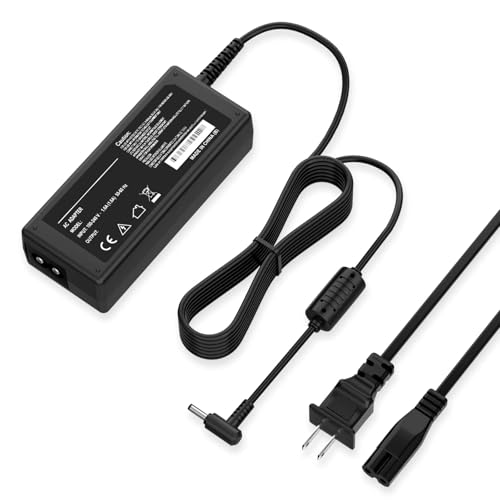
- Replacement AC/DC adapter for the Avid 99006517000 Artist Transport Control Surface
- Works with 100-240 VAC input for worldwide use
- Built-in protection for over current, over voltage, and short circuits
Best For: Users replacing a lost or worn Avid transport surface power supply
Travel Protection Case

- Fits KORG nanoKONTROL2, nanoKEY2, nanoPAD2, and nanoSERIES2 devices
- EVA hard shell provides shock-resistant, semi-waterproof protection
- Lightweight case includes a hand strap and accessory organizer
Best For: Travelers and commuters carrying KORG nano-series controllers
Compact DAW Control – Korg nanoKONTROL2 slim USB control surface
If you want a simple control surface with transport controls for a laptop-based setup, the Korg nanoKONTROL2 keeps things focused and compact. Its slim-line design gives you hands-on access to track select, marker advance, mute functions, and other common DAW tasks without taking much desk space.
Best For: Laptop producers who want an ultra-compact USB control surface for basic mixing and navigation.
Pros:
- Low-profile design is easy to fit beside a laptop or compact keyboard.
- Includes new track select and marker advance parameters for DAW navigation.
- Supports numerous software titles, including Ableton Live.
- 8-channel mixer layout gives you hands-on control in a small footprint.
Cons:
- Buttons-only layout means no traditional keyboard or fader-style workflow.
- Best suited to basic transport and mix control rather than deeper performance control.
Overall, the nanoKONTROL2 is a practical pick if you need a lightweight way to manage transport and core mix functions from a computer. It is especially appealing for users who value portability over advanced surface features.
Portable Key Input – Korg nanoKEY2 25-key USB-MIDI keyboard
Although this is not a control surface with transport controls, the Korg nanoKEY2 is a compact USB-MIDI keyboard for users who want note input in a very small format. Its 25 velocity-sensitive keys and sustain button make it useful for entering piano parts and other MIDI ideas on a laptop or netbook.
Best For: Musicians who need a portable 25-key MIDI keyboard for sketching parts on the go.
Pros:
- 25-key low-profile design is ideal for portable computer-based setups.
- Velocity-sensitive keys improve accuracy for playing and programming parts.
- Sustain button is helpful for entering piano parts.
- USB connection keeps the setup simple.
Cons:
- Does not provide transport controls like play, stop, or record.
- Focused on key input rather than mixing or DAW navigation.
This model makes sense if your priority is compact MIDI note entry rather than transport and mixing control. For users who primarily want a small keyboard on the road, it is a straightforward option.
Touch-Fader DAW Control – Behringer X-TOUCH ONE single-fader DAW controller
If you want a control surface with transport controls and a more hands-on mixing workflow, the Behringer X-TOUCH ONE is built around a touch-sensitive motorized fader, a jog/shuttle wheel, and dedicated illuminated buttons. The included bundle also adds studio monitor headphones, making it a practical all-in-one starter for focused DAW control.
Best For: PC and Mac users who want a tactile single-channel DAW controller with bundled headphones.
Pros:
- 100mm touch-sensitive motorized fader supports precise, dynamic adjustments.
- Jog/shuttle wheel and rotary/push control help with scrubbing and parameter changes.
- 34 backlit buttons provide direct access to key functions.
- LCD scribble strip and LED indicators give useful track and parameter feedback.
Cons:
- Single-channel layout may be limiting if you want broader multi-fader control.
- Bundle includes headphones, which may be unnecessary if you already own monitoring gear.
For users who want a more tactile way to manage transport and mixing tasks, this model offers a strong feature set in a compact footprint. The motorized fader and clear visual feedback make it especially appealing for detailed work.
Wireless Studio Control – Korg Nanokontrol Studio Bluetooth/USB controller
For a control surface with transport controls that can move beyond the desk, the Korg Nanokontrol Studio adds Bluetooth and USB connectivity to an 8-fader layout. It is designed for mobile or desktop use and works with supported software such as Ableton Live, Avid Pro Tools, and FL Studio.
Best For: Mobile producers and tablet users who want wireless MIDI control with an 8-fader layout.
Pros:
- Bluetooth and USB support offer flexible connection options.
- Eight faders suit basic mixing and channel control.
- Compact, lightweight build is easy to carry.
- Works with smartphones, tablets, and PC/Mac/iOS setups.
Cons:
- Requires reading the user manual before use, according to the notes.
- Wireless control may not be necessary for users who only work at a fixed desk.
This is a strong choice if portability and wireless use matter as much as transport and mixer control. Its small footprint and broad device support make it a flexible option for on-the-go production.
Portable DAW Control Surface – Studiologic SL Mixface 4-Layer Control Surface
If you want a control surface with transport controls that can move between laptop setups and desk rigs, the Studiologic SL Mixface is built for flexibility. It auto-maps to major DAW apps, can switch between DAW control and instrument control, and even works over Bluetooth or USB for a compact workflow.
Best For: Mobile producers and keyboard players who want a compact, layer-based DAW controller with transport-ready control.
Pros:
- Auto-maps to major DAW apps for quicker setup.
- Switches between DAW environment and favorite instrument control.
- Bluetooth and USB connectivity support wired or wireless use.
- Compact design makes it easier to bring to different workspaces.
Cons:
- Wireless use requires 3 AAA batteries, which are not included.
- Only one USB port is listed in the supplied details.
- May be more controller than needed if you only want basic transport buttons.
The SL Mixface stands out if you need a portable controller that can handle more than just transport duties. Its layered design and mapping flexibility make it a practical choice for users who want one device to cover different session needs.
Compact Pad Controller – Pyle USB MIDI Drum Pad with Transport Buttons
This USB MIDI controller is a practical pick if you want a control surface with transport controls in a small, desk-friendly format. It combines 12 velocity-sensitive pads, a DJ fader slider, and 6 transport buttons, with simple MIDI mapping for use across common DAWs.
Best For: Beat makers and laptop producers who want a compact pad controller with transport buttons and easy DAW mapping.
Pros:
- Includes 6 DJ transport buttons for basic playback control.
- 12 velocity-sensitive pads support dynamic finger drumming.
- USB connection works with Mac or PC without an extra power adapter.
- Preset banks make it easier to switch mapping schemes during performance.
Cons:
- Only 2 assignable buttons are listed, so hands-on control is limited.
- Best suited to a compact workflow rather than a full mixer-style setup.
- Designed around USB use, so it does not add wireless flexibility.
The PMIDIPD20_0 is a straightforward controller for users who want pads and transport in one small unit. Its simple mapping approach and portable footprint make it a useful entry-level performance and production tool.
Advanced DAW Mixer Surface – Novation Launch Control XL 3 Bundle
If you are shopping for a control surface with transport controls that feels more like a dedicated DAW mixer, the Novation Launch Control XL 3 is built for hands-on mixing and mapping. It offers eight faders, 24 endless encoders, 16 assignable buttons, dedicated transport controls, and a crisp OLED display for faster session work.
Best For: Producers who want a more advanced DAW control surface with deep mixing hands-on control and transport access.
Pros:
- Eight 60mm faders support direct mix control.
- Dedicated transport controls are included for DAW navigation.
- 24 endless encoders and 16 assignable buttons provide wide control coverage.
- USB-C plus 5-pin MIDI I/O adds flexible connectivity.
Cons:
- Likely more controller than a casual user needs.
- The bundle includes extra accessories you may not need if buying only for the surface.
- Best value depends on whether you will use the deeper mapping and mixer-style layout.
The Launch Control XL 3 is the most feature-rich option here for users who want tactile DAW mixing and transport control in one unit. Its faders, encoders, and custom modes make it a strong fit for more serious studio workflows.
Permanent Rack-Mount Mixing Rig – SSL UF8 Advanced DAW Controller Bundle
If you want a control surface with transport controls that feels built for a fixed studio setup, this SSL UF8 bundle is aimed at serious in-the-box mixing. It combines the 8-fader UF8 controller with a 19-inch rack mount kit and a Decksaver cover, so the surface can live in a permanent rack while staying protected between sessions.
Best For: Project studios, hybrid mixers, mastering engineers, and post editors who want a rack-mounted UF8 setup.
Pros:
- Includes the UF8 controller, first-party rack ears, and a custom-molded Decksaver cover.
- Eight 100mm motorized, touch-sensitive faders support mixing, mastering, and automation rides.
- Eight hi-res color screens plus 43 assignable keys help keep common controls close at hand.
- Works with Pro Tools, Logic, Cubase, Nuendo, Studio One, and Live over USB-C.
Cons:
- Geared toward a permanent rig rather than a portable desk-only setup.
- Rack mounting depends on having a 19-inch 6U rack section or compatible console space.
The UF8 bundle makes sense if you want tactile DAW control with transport controls, track banking, and automation in a more installed studio format. The included rack kit and cover add practical value for users who want the controller mounted, protected, and ready to work.
Replacement Power – Avid Artist Transport Control Adapter
If your control surface with transport controls has lost its original power supply, this replacement AC/DC adapter is a straightforward fix for the Avid 99006517000 Artist Transport Control Surface. It is designed for worldwide use with 100-240 VAC input and built-in protection against over current, over voltage, and short circuits.
Best For: Owners of the Avid Artist Transport Control Surface who need a replacement power adapter.
Pros:
- Compatible with the Avid 99006517000 Artist Transport Control Surface.
- Supports 100-240 VAC, making it suitable for worldwide use.
- Includes built-in protection for over current, over voltage, and short circuits.
- Compact and low-consumption design for home or travel use.
Cons:
- Adapter only; it does not include the control surface itself.
- The listing specifically advises using the correct voltage and indoor use only.
This is a practical replacement if you need to get an Avid transport surface powered back up without buying a new unit. Its main value is compatibility and safety-focused design rather than extra features.
Travel Protection Case – LTGEM KORG nanoKONTROL2 Case
For a compact control surface with transport controls that you carry between sessions, this LTGEM case is designed to protect KORG nanoKONTROL2, nanoKEY2, nanoPAD2, and nanoSERIES2 devices. The EVA hard shell adds shock resistance and semi-waterproof protection, making it a sensible choice for commuting, travel, or storage.
Best For: Owners of KORG nano-series controllers who want a lightweight travel case.
Pros:
- Made to fit KORG nanoKONTROL2, nanoKEY2, nanoPAD2, and nanoSERIES2 devices.
- Durable EVA construction offers shock-resistant and semi-waterproof protection.
- Lightweight, compact design fits easily in backpacks and luggage.
- Includes a hand strap and interior organizer for accessories.
Cons:
- Case only; the controller is not included.
- Designed for specific KORG nano-series models rather than larger control surfaces.
If portability matters more than desk presence, this case is a simple way to keep a small transport-capable controller safe on the move. It focuses on fit, impact protection, and easy carrying rather than adding any performance features.
How We Picked the Best Control Surface with Transport Controls
We prioritized hands-on workflow improvements, build quality, DAW compatibility, and whether the surface includes the transport essentials most users actually need. We also considered size, portability, fader count, motorized versus non-motorized designs, and whether the unit is better suited to mixing, beatmaking, or compact editing.
Quick Comparison
Smaller controllers are best if you want basic transport, a few faders, and easy desk placement. Larger surfaces with motorized faders and dedicated sections are better for detailed mixing and automation. Wireless and ultra-portable models suit travel or mobile production, while rack-style or premium controllers are better for full-time studio use.
Key Buying Factors for a Control Surface with Transport Controls
DAW Compatibility
Make sure the controller supports your software natively or via Mackie Control, HUI, or similar protocols. Strong compatibility usually matters more than extra buttons, because it affects setup speed and long-term reliability.
Transport Layout
Look for clearly labeled play, stop, record, loop, rewind, and forward controls. If you edit often, dedicated marker or navigation buttons can save more time than extra pads or knobs.
Faders and Feedback
Motorized faders are a major advantage for mix automation and recall, while non-motorized faders are fine for simple level riding. LED feedback and scribble-strip style labeling also make larger sessions easier to manage.
Portability and Power
If you work on laptops or move between rooms, compact USB-powered models are the easiest to live with. Battery or Bluetooth options are useful for cable-light setups, but they should still offer dependable wired operation when needed.
Controls Beyond Transport
Knobs, pads, and assignable buttons can expand a Control Surface with Transport Controls into a more flexible production tool. Just avoid paying for features you won’t use if your main goal is simple DAW navigation.
Who Should Buy Which Control Surface with Transport Controls?
Choose a compact surface if you want affordable hands-on control in a small space. Pick a mid-sized controller if you mix regularly and want better fader access without a huge footprint. Go for a premium motorized surface if you need detailed automation, professional mixing speed, and a console-like workflow. For travel or backup duty, prioritize the smallest, most durable option with the transport layout you use most.